
Connect iFIT with your favourite fitness apps
Can iFIT be synced with other connected fitness solutions? The iFIT app can sync its tracking data with other popular sports tracking apps like Strava, Apple Health, Garmin Connect. The process is very easy, and once completed, you can view your progress on each of the apps according to your personal preferences.
25 Feb 2026
·
3 min read
Increase your chances of reaching your sport and health goals by connecting your favourite fitness apps with iFIT. The app is now compatible with Strava, Apple Health and Garmin Connect. With accurate tracking of all your data, you can make the best decisions for your health and enjoy a seamless experience between all your devices.
iFIT compatible fitness applications
As an athlete, you probably use several tools to track your health and performance data. The iFIT application is now compatible with 3 of the most popular tracking applications:
- Apple Health: if you have an Apple Watch and/or an iPhone, you can sync your Apple Health and iFIT data to have all your information at your fingertips and track your physical activity, nutrition and sleep.
- Garmin Connect: take advantage of the performance statistics recorded on Garmin Connect by pairing the app with iFIT: number of steps, heart rate tracking, VO2 max, challenges, routes taken, etc.
- Strava: this popular tracking app for runners and cyclists is now compatible with iFIT.
How to connect iFIT to your fitness application
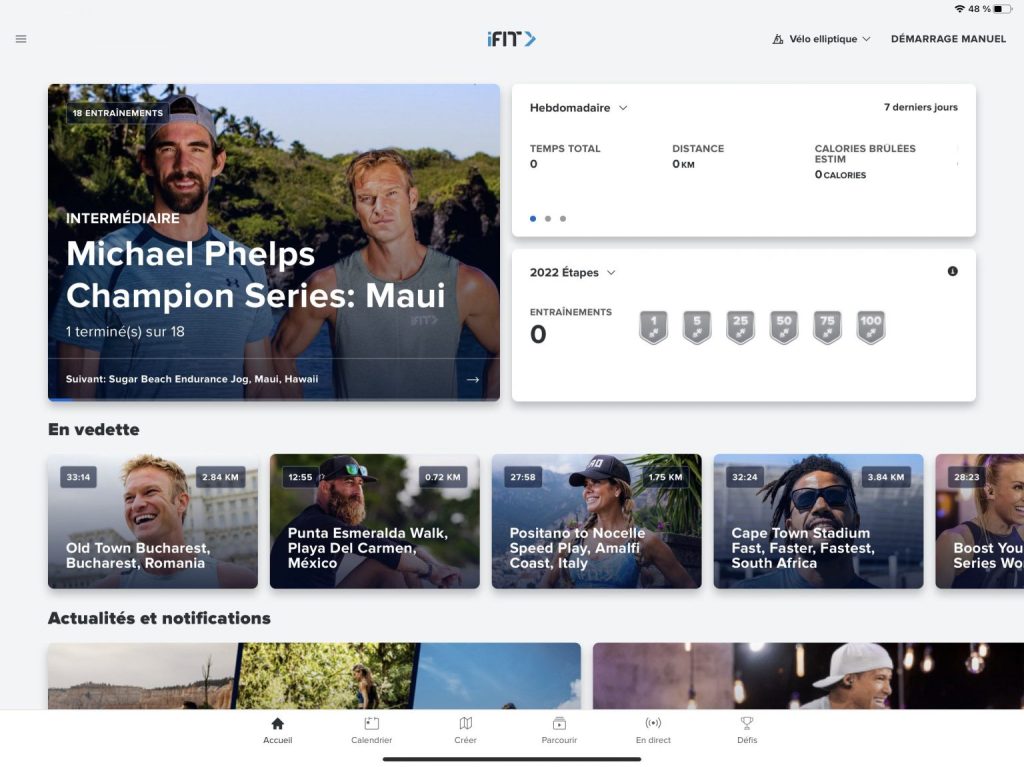
Whichever application you want to synchronise with iFIT, the steps will be relatively similar:
- Launch the iFIT application on your iPhone or Android smartphone.
- Go to the main menu (using the 3 horizontal stripes at the top left of the screen) and select "Settings", then "Connected apps".
- Click on the name of the desired application, then on "Connect".
- You are automatically redirected to the application concerned to validate your choice and authorise data sharing between the two applications. All that's left is to set your preferences to select exactly what you want to track.
Before synchronising your applications, make sure you have the latest version of the iFIT app installed on your device and that you have a good-quality connection.
How do I view iFIT data on other applications?
Once the accounts are linked, every workout you do on an iFIT-compatible fitness device will be recorded on both apps. Both of your training histories will be synchronised in real-time, and your treadmill and exercise bike sessions will be included in your statistics.
If, for any reason, you want to unlink the two accounts, it's very easy: you can do it on either app with a few clicks. The activity tracking will always be displayed in the history of the application where the training was recorded.
Note: Each system interprets the recorded data in its own way, so some figures may differ very slightly between the two paired apps on a captured workout, especially in distance and calories. However, this shouldn't be significant and won't stop you from enjoying the convenience of seeing all your progress recorded in one place.
Reach your goals faster, personalise your workout even more and stay motivated at all times by combining the benefits of multiple fitness apps.
For more information and tips on your equipment and coaching - Visit our other articles