
Bluetooth® Headphone Connectivity To Your NordicTrack Machine
Connecting your Bluetooth® headphones to your machine is simple. Follow these steps, and explore just how enjoyable working out can be!
Oct 19, 2020
·
4 min read
UPDATED, December 1, 2020
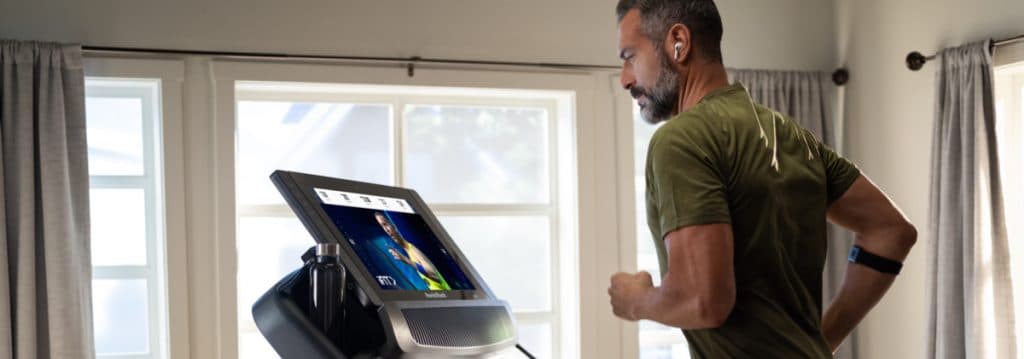
We’re constantly trying to give our customers what they want while staying up-to-date with the latest innovative technology that is available. That way, you can continue to enjoy your workouts and all the features that separates us from the competition. You can now connecting your Bluetooth® headphones to your NordicTrack machine.
Forget the clutter of wires and cords interfering with your workout, the fear of disrupting the rest of your family as they work or sleep, and the stress of other technological interference with this NordicTrack feature.
Getting started and connecting your Bluetooth® headphones is simple. Follow the steps below, and explore just how enjoyable working out really can be!
Getting Started
- Select a workout from the iFit® workout library on your machine.
- Tap “Start workout.”
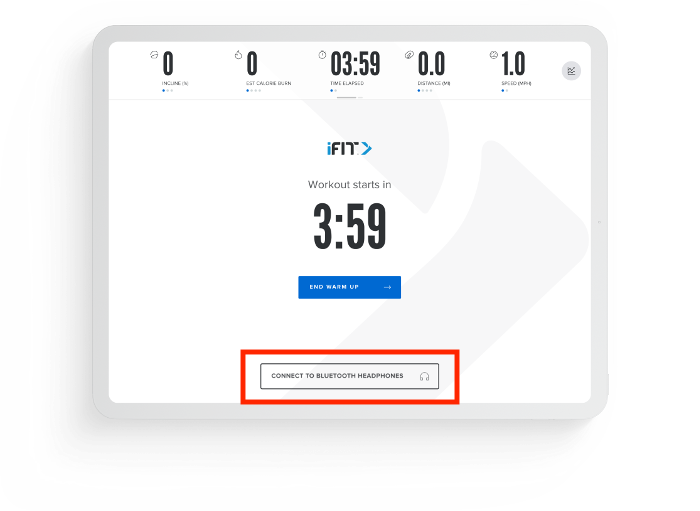
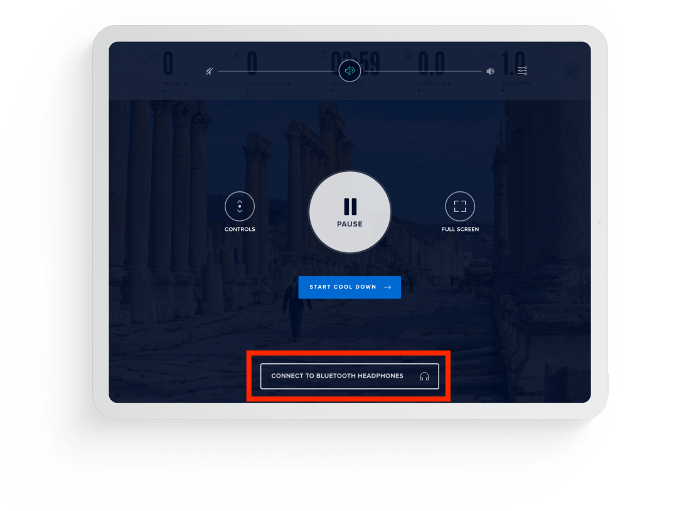
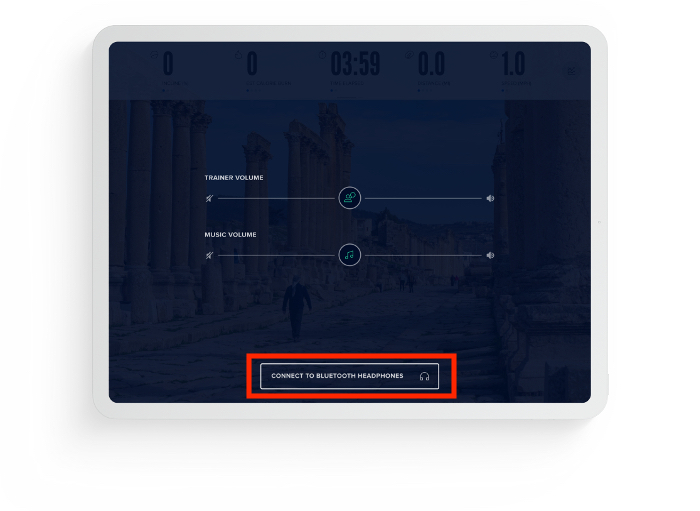
- Then tap on the “Connect To Bluetooth® Headphones” button.
Connecting Bluetooth® Wireless Headphones To Your NordicTack Machine
There are plenty of stages during your workout that are available for you to connect your Bluetooth® headphones. You can choose to connect your headphones:
Option 1: On the warmup screen
Option 2: On the pause screen (tap your touchscreen, then hit the pause button)
Option 3: Next to the volume slider (tap the touchscreen during your workout to see the slider)
Option 4: On the cooldown screen
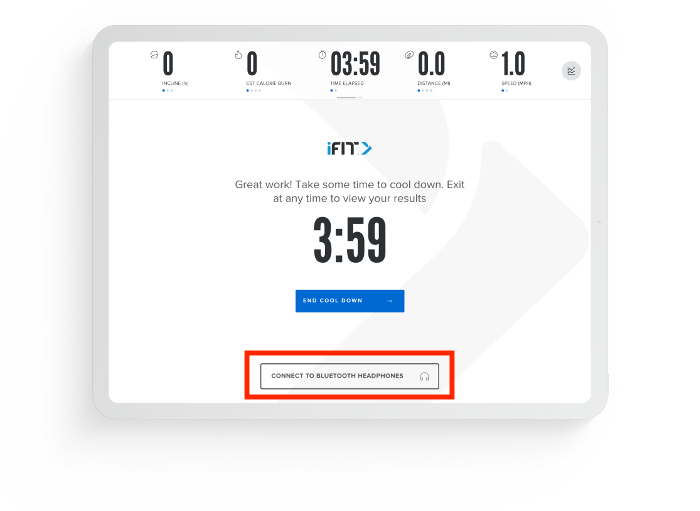
Then, select the model of your Bluetooth® headphones from the on-screen list, making sure your headphones are on and in pairing mode.
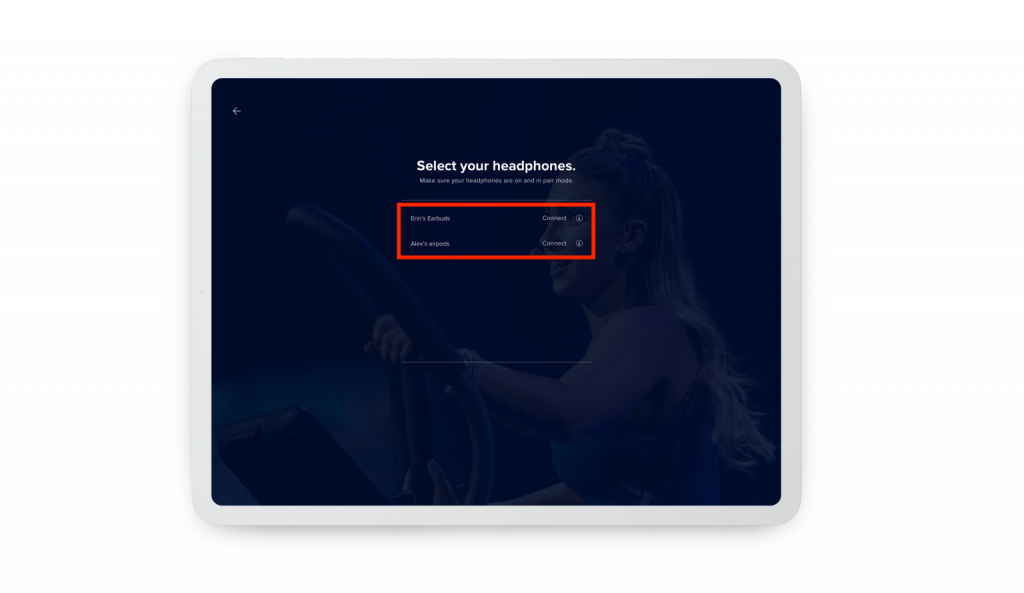
Connecting AirPods® To Your NordicTrack Machine
Although you won’t be able to use Siri while your AirPods® are connected to your NordicTrack machine, you can still listen and talk. Start with:
- Go to the settings on your NordicTrack machine. Search for Bluetooth® to make sure that your Bluetooth® is on.
- With your AirPods® still in its charging case, open the lid.
- Press and hold the setup button on the back of your AirPods® case until you see the status light flash white.
- When your AirPods® appear in the list of Bluetooth® devices on your NordicTrack machine, select them. Then you should connect.
Conclusion
Enjoy the new way of connecting with your machine and jam out during your workout without bothering any bystanders. Also note, after connecting to your wireless headphones, the volume will automatically be set at 5%. You can adjust the volume to a higher or lower setting simply by using the volume slider on your touchscreen.
Let us know how you like this new feature in the comment section below, and we look forward to connecting with you on iFit!