
NordicTrack Member Support: Your Post-Purchase Guide
From delivery day to your first 30 days of training, this guide covers everything NordicTrack member support offers so you can set up, activate, and get moving with confidence.
8 Apr 2026
·
8 min read
IN THIS ARTICLE
KEY TAKEAWAYS
- NordicTrack member support covers delivery, setup, iFIT activation, warranty registration, and ongoing troubleshooting through multiple contact channels.
- White-glove delivery includes professional placement and assembly, while standard delivery brings equipment to your first sheltered entry point.
- Activating your iFIT membership unlocks trainer-led workouts, adaptive features like SmartAdjust and ActivePulse, and cross-device tracking with Apple Watch, Garmin, and Samsung Galaxy Watch.
- Warranty terms vary by product type. Register your equipment at my.ifit.com within 30 days of purchase to protect your coverage.
- The first 30 days set the foundation. Consistent scheduling, separate family profiles, and early wearable setup help build a routine that lasts.
Buying your NordicTrack machine is just the beginning. What follows includes delivery and setup, activating your iFIT membership, knowing how to get help, and building a routine that lasts. This guide explains each step so you can spend less time figuring things out and more time training.
Delivery and setup: what to expect when your equipment arrives
A little preparation helps on delivery day.
NordicTrack offers two delivery options. Standard delivery brings your equipment to the first sheltered location on your property, such as a garage or covered entryway. It does not include delivery upstairs or assembly. If you want the machine placed where you plan to use it, white-glove delivery includes both placement and assembly. A technician brings the equipment into the right room, assembles it, and removes the packaging.
Before your delivery arrives, measure your space and check doorway clearance. Keep your order confirmation and model number handy in case the delivery team asks for them. It also helps to review the assembly manual or setup video ahead of time so you know what to expect, whether you assemble it yourself or watch it being done.
For specific delivery questions, the NordicTrack Contact Us page has direct support options.
Activating your iFIT membership and getting started
iFIT powers the connected experience on your NordicTrack machine. Getting started is simple.
Power on your equipment and follow the on-screen steps to sign in or create an iFIT account. In most cases, your membership syncs automatically once you sign in. If it does not, visit my.ifit.com and follow the instructions there, or reach out to iFIT support via live chat, SMS, or phone.
You can choose between two membership tiers. The Train tier is £14 a month or £144 a year. The Pro tier is £34 a month or £349 a year and includes adaptive features such as SmartAdjust and ActivePulse. You can switch between plans anytime through your account settings at iFIT.com.
For full details of each tier, see the NordicTrack iFIT Membership Guide.
How NordicTrack and iFIT work together
NordicTrack equipment and iFIT operate as one system. The machine controls incline, decline, resistance, and speed. iFIT manages programming, tracking, and personalized adjustments based on your performance.
Two features stand out with a Pro membership:
SmartAdjust changes workout intensity and pacing to match your fitness level, removing the need to adjust settings manually.
ActivePulse tracks your heart rate and automatically adjusts intensity to keep you in the right zone. It requires a compatible heart rate monitor, sold separately.
iFIT also works with Apple Watch, Garmin, and Samsung Galaxy Watch so your workout data stays connected across your devices.
To learn more about the adaptive training system, see the NordicTrack smart fitness guide
Customer support channels: how to get help when you need it
If you need help, there are several ways to reach NordicTrack and iFIT support. The best option depends on your issue and how quickly you want assistance.
Live chat: Available at my.ifit.com for account questions, setup help, and troubleshooting.
SMS: Text-based support for quick questions.
Phone: Talk directly with a representative. Have your model number or order details ready before you call to speed things up.
Online help center: At my.ifit.com, you can register your equipment, track orders, browse FAQs, find assembly videos, and submit support tickets.
Support hours and response times vary by region. For direct contact information, visit the NordicTrack Contact Us page or the NordicTrack iFIT Membership Guide.
Understanding your warranty coverage
Warranty terms differ by product, so it is useful to know your coverage before you need it.
Product Type | Frame Coverage | Motor Coverage | Parts and Labor |
Treadmill | Lifetime | 5 years | 2 years |
Elliptical | Lifetime | — | 2 years |
Exercise Bike | Lifetime | — | 2 years |
Rower | Lifetime | — | 2 years |
Reformer | Lifetime | — | 2 years |
Warranty coverage applies only to the original purchaser. Repairs under warranty must be preauthorized by iFIT and handled through an authorized service center. Registration is required within 30 days of purchase to avoid extra fees on warranty service.
Register your equipment at my.ifit.com using your model and purchase details.
For full model-specific terms, see theNordicTrack, ProForm, and iFIT Terms.
Getting the most out of your first 30 days
The first month sets the pattern for long-term use. A few steps can make a difference.
Start by exploring the iFIT workout library. There are trainer-led sessions for cardio, strength, yoga, and recovery. Try several before choosing your routine. You may discover that a trail run motivates you more than a standard treadmill session.
Set a realistic schedule—two to four sessions a week is a good start. Treat them as firm appointments. Consistency in these first weeks builds momentum for the months ahead.
If others in your home will use the machine, create separate profiles through the iFIT Family Plan. Each person gets their own account with tracking and progress history. TheNordicTrack iFIT Membership Guide explains how.
Connect your smartwatch early. Syncing your Apple Watch, Garmin, or Samsung Galaxy Watch keeps your data in one place and helps track your progress accurately.
If you have a Pro membership, use SmartAdjust and ActivePulse during your first few workouts. These tools work best once the system has learned your baseline.
Your next steps: building a routine that lasts
NordicTrack has spent 50 years helping people reach their fitness goals. The equipment, the iFIT platform, and the support system behind them are all designed to help you stay consistent.
Here’s how to begin:
Set up your iFIT account at my.ifit.com
Register your equipment within 30 days of purchase
Connect your wearable device if you have one
Add family members through the iFIT Family Plan
Explore the workout library and find what keeps you motivated
For more details, visit:
You made the commitment. NordicTrack helps you keep it.
FREQUENTLY ASKED QUESTIONS
Disclaimer: The primary purpose of this blog post is to inform and entertain. Nothing on the post constitutes or is intended to be a substitute for professional medical advice, prevention, diagnosis, or treatment. Reliance on any information provided on the blog is solely at your own risk. Always seek the advice of your physician or other qualified health provider with any questions you may have regarding a medical condition, and please consult your doctor or other health care provider before making any changes to your diet, sleep methods, daily activity, or fitness routine. Do not disregard professional medical advice or delay seeking it because of information available on this blog. NordicTrack assumes no responsibility for any personal injury or damage sustained by any recommendations, opinions, or advice given in this article. Always follow the safety precautions included in the owner’s manual of your fitness equipment.
RECENT ARTICLES

iFIT App | Equipment
NordicTrack Member Support: iFIT Clarity
Get clear answers on iFIT membership setup, features, and troubleshooting. Learn how NordicTrack and iFIT work together to personalize your workouts and simplify your training experience.
25 Jun 2026 · 8 min read
READ MORE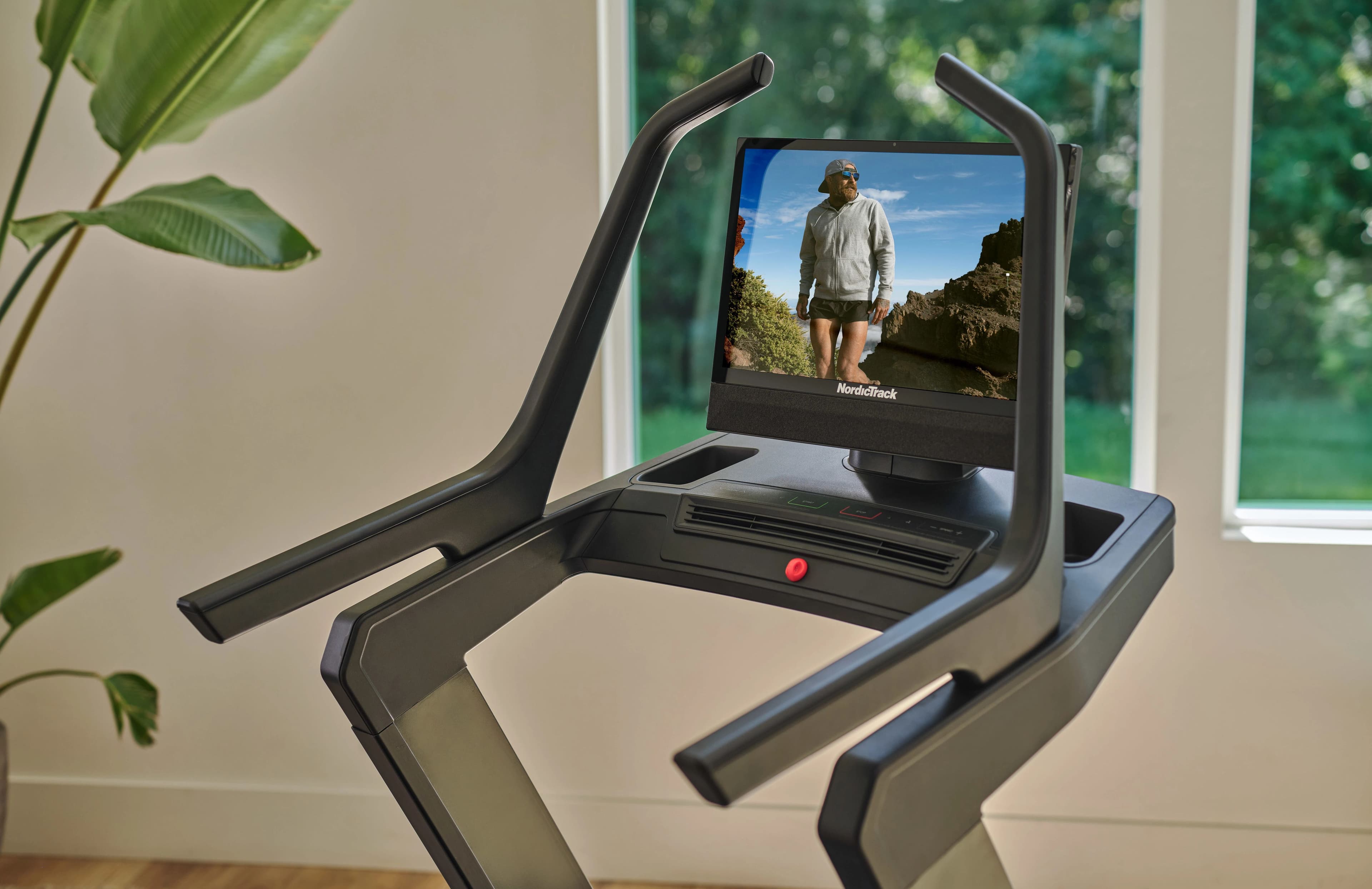
Equipment
Is a 24" screen worth it on a treadmill? Does it improve results?
Does a 24 inch treadmill screen improve your workouts or just add cost? Learn how screen size impacts engagement, consistency, and long term results.
25 Jun 2026 · 8 min read
READ MORE
Equipment
2026 Treadmill Buying Guide: Find the Best Treadmill for Your Home
Use NordicTrack's 2026 treadmill buying guide to match your space, budget, and training style. Learn which motors, belts, inclines, and smart features matter so you can pick the best treadmill.
20 Apr 2026 · 11 min read
READ MORE