
Closed Captioning Feature On iFIT
UPDATED, June 15, 2022 - iFIT members can access closed captioning during workouts. And stay tuned, closed captioning is coming available in additional languages.
Jul 29, 2021
·
3 min read

UPDATED, June 15, 2022
iFIT® members can access the closed captioning feature during workouts. No second-guessing yourself what your iFIT trainer is instructing you to do during your session and get clear and precise instruction without skipping a beat.
“What is a closed caption feature,” you ask? Closed captions (cc) are a text version of what is being said on the screen of what you’re watching. This iFIT feature was designed to give access to everyone, including those with different abilities, and compliment a user's audio experience while providing a visual explanation of what your iFIT trainer is instructing you to do, so you can enjoy an iFIT session in any workout environment.
Closed captioning is available in English and Spanish for most workouts, both on NordicTrack equipment and the iFIT app.
Get started with the iFIT closed captioning feature now by following the set-up instructions below:
How To Set Up Closed Captioning On NordicTrack Equipment
How to turn closed captioning on or off during an iFIT workout:
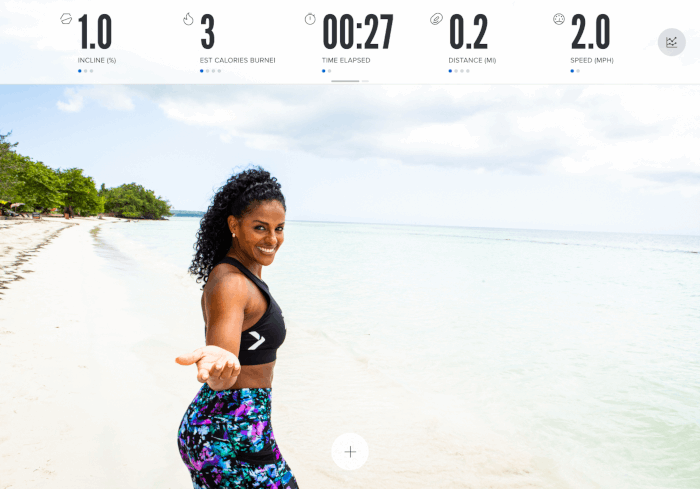
1. Start an iFIT workout on your NordicTrack equipment, then tap the touchscreen.
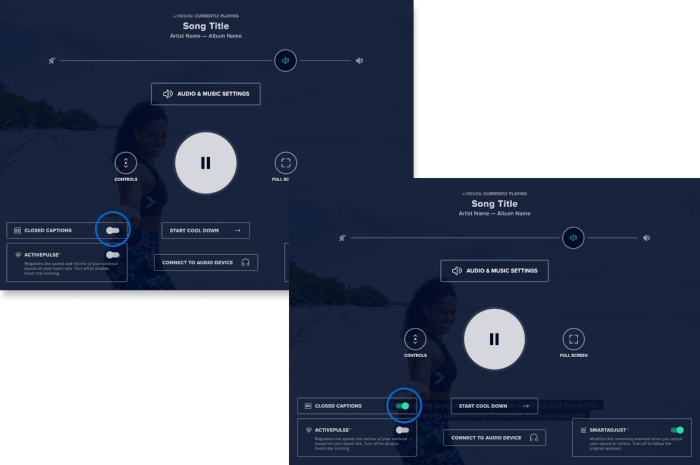
2. In the bottom left corner, toggle Closed Captions on or off.
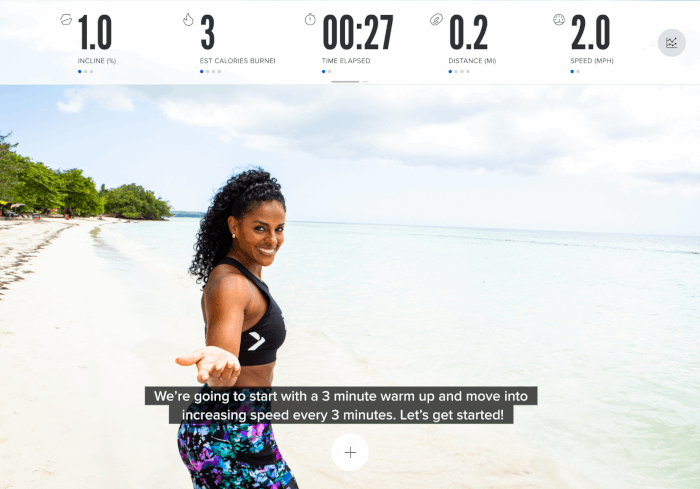
3. Go back to your main screen and closed captions should appear.
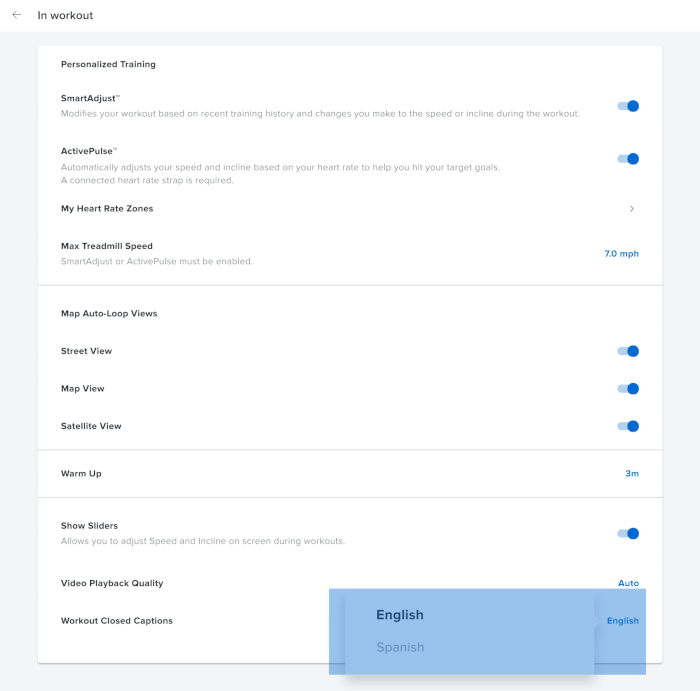
How to change languages for all iFIT workouts on NordicTrack equipment:
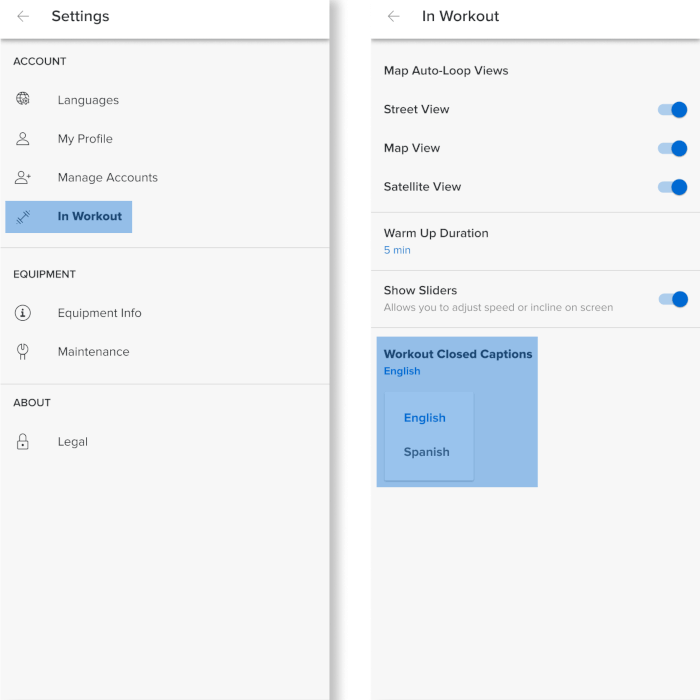
1. Navigate to your Settings, then tap on In Workout.
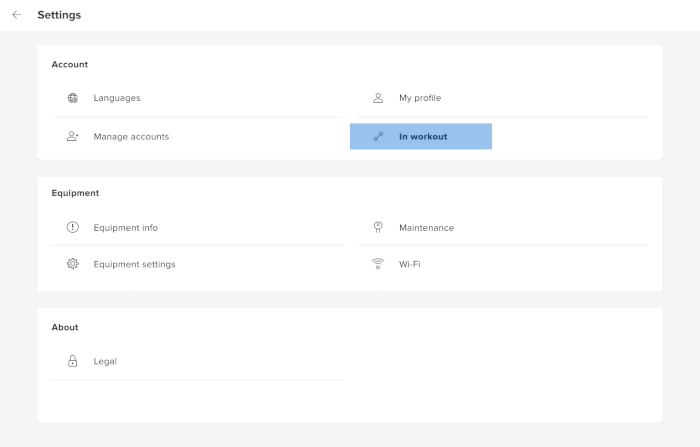
2. At the bottom of your screen, next to Workout Closed Captions, select your preferred language.
How To Set Up Closed Captioning On The iFIT App
How to turn closed captioning on or off during an iFIT workout:
1. Start a workout in the iFIT app, then tap the touchscreen.
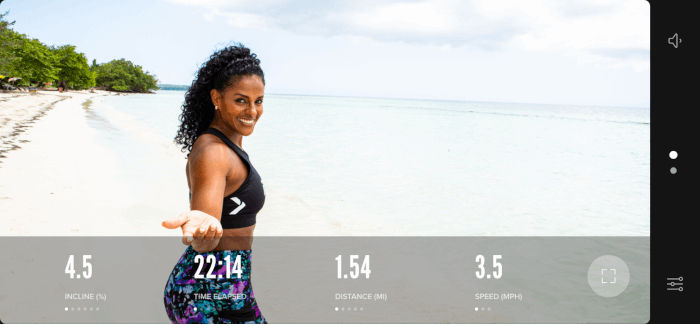
2. In the top right corner, tap the CC button to turn closed captions on or off.
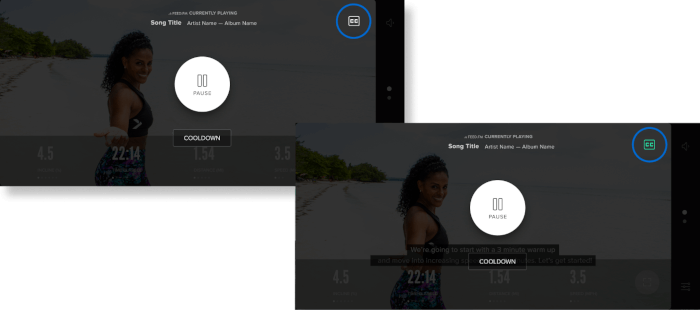
3. Go back to your main screen and closed captions should appear.
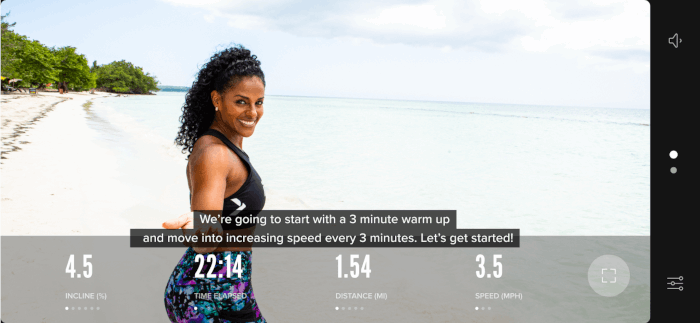
How to change languages for all workouts on the iFIT app:
Navigate to your Settings, then tap on In Workout. At the bottom, under Workout Closed Captions, select your preferred language.
Conclusion
Enjoy an iFIT workout no matter where you are and regardless of a disability with the new closed captioning feature. And stay tuned because closed captioning is coming available in additional languages soon. Next thing you know, you’re using iFIT to improve your bilingual ability while you work out. Sky’s the limit when you’re training with NordicTrack, powered by iFIT.
If you're new with us, try iFIT for 30 days and experience incredible workouts before committing to anything long-term.